Page Features
Much of the gemRetailer portal information displays in a grid with columns and rows. Each grid has a standard sort order that is described in the Help topic for that page. In most cases, the grid also supports additional sorting, which displays arrows in the column headers.
Column Sorting
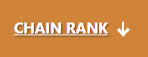
To sort by a column, click the column header if the column allows sorting. An arrow displays next to the column header if sorting is allowed as in the example below.
Paging
If there is more data than can display on a single grid or page, the system displays paging buttons to help you view the information. You can select a value from the Items per page dropdown menu to display more items, or use the arrow buttons to move forward or backward through the list.

Dates
If a page allows filtering by date, you can manually enter a date using the MM/DD/YYYY format (for example, 05/09/2025), or click the [Calendar] button to select a date. When the calendar displays, use the arrow buttons to move to the next or previous month.