Add a Widget
To add a widget to the Dashboard Page, do the following:
-
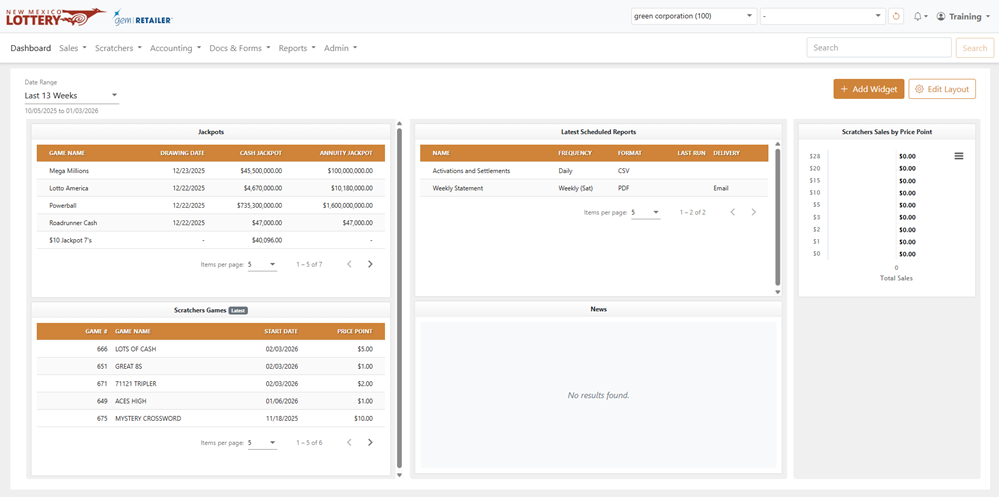
From the dashboard, click [Add Widget].
-
From the Add New Widget popup, select the widget you want to add on the left and a preview displays on the right. The data type for the widget will also be labeled, such as Pie Chart, Line Chart, Table, etc. Click the [Add Widget] button to add the widget to your dashboard. You can only add one widget at a time.
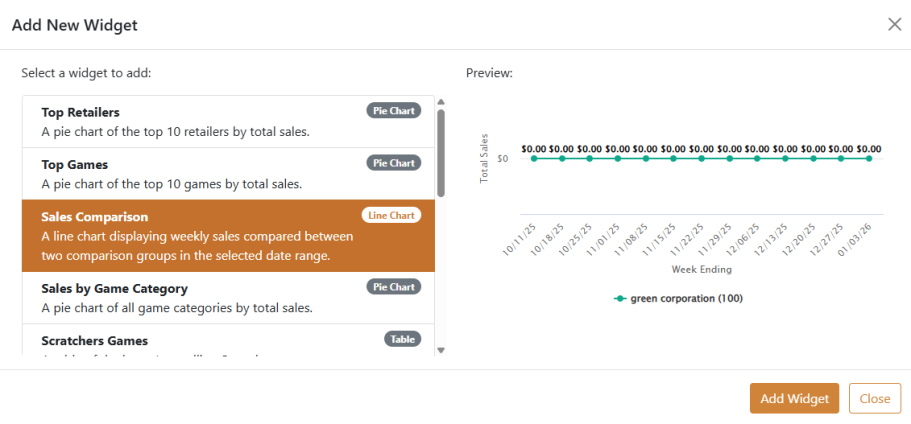
NOTE: Some widgets include filter fields, which display the [Gear] button. Some widgets can also be downloaded by using the Chart Context menu. You can move widgets on the dashboard by clicking and dragging them. - Repeat this process for all the widgets you need. For other dashboard customization, see Edit Dashboard Layout.