Login Page
When you access gemRetailer, the Login page displays, and you are required to enter your username and password to log in.
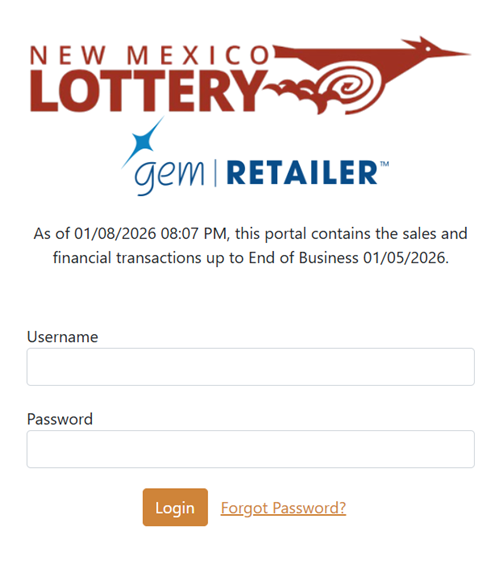
Enter your username and password into the Username and Password fields and click the [Login] button to display the gemRetailer Dashboard page.
NOTE: You must enter the password in the correct case.
-
If you entered your login credentials incorrectly, re-enter them and try again.
-
If you exceed the number of login attempts allowed, a message displays that your user is no longer active and your password is locked. Locked accounts must be unlocked by a password administrator.
-
If you are logging in for the first time or the password administrator has reset your password, the Change Password screen displays after logging in. The system requires you to change your password before you can continue. After successfully changing your password, you are logged in and the Dashboard page displays.
NOTE: All users are prompted to change their password every 60 days. To change your password, use the Profile Menu once you have logged in.
Request a Password Reset
To reset your password:
- Click the Forgot Password? link.
- Enter your username when prompted and click the [Submit] button. A confirmation message displays stating that a password reset email has been sent for an active account. Click the button to return to the Login page.
- Go to the email account associated with your username. When you receive an email from New Mexico Lottery with the subject Password Reset, open the email.
- Enter a password in the New Password field that meets New Mexico Lottery password criteria.
NOTE: It must be at least 12 characters long, it is not the same as any of your last 25 passwords, and it must contain at least 3 of the following types of characters: letters (A, b, c, ...), numbers (0, 1, 2, ...), and special characters (anything else). - Enter the same password in the Confirm Password field and click the [Change Password] button. You are logged in to gemRetailer and the Dashboard page displays.